
Download SlowMousion – Free Mouse Speed Control Tool for Windows & Mac
SlowMousion is a lightweight, free software tool designed to give you precise control over your mouse cursor speed. If you've ever struggled with a cursor that moves too quickly, making it difficult to aim accurately—especially during detailed tasks like graphic design, photo editing, or precise dragging—SlowMousion is the solution you’ve been looking for. This discreet application allows you to slow down your mouse movement instantly by simply pressing and holding a designated key or button. Whether you're drawing intricate shapes, selecting small text, or adjusting UI elements, SlowMousion ensures smooth, controlled navigation without the frustration of overshooting your target.
Why You Need SlowMousion for Precise Cursor Control
Modern computer mice are designed for speed and responsiveness, which is great for general browsing and gaming. However, this high sensitivity can become a hindrance during tasks that require fine motor control. Imagine trying to select a tiny text box or draw a perfect circle with a cursor that zips across the screen in a fraction of a second. That’s where SlowMousion steps in as a game-changer. This tool doesn’t replace your mouse driver or alter your system settings—it works silently in the background, only activating when you trigger it with a hotkey.
One of the standout features of SlowMousion is its simplicity. There’s no complex setup, no intrusive pop-ups, and no need to tweak system-level configurations. Once installed, you can assign a key (like the Ctrl or Shift key) to activate the slow mode.
Press and hold the key, and your cursor moves at a fraction of its normal speed. Release the key, and your mouse returns to full speed instantly. This on-demand functionality makes it ideal for users who switch between fast navigation and precision work frequently.
Another major advantage is the ability to customize the slowdown level. With repeated taps of the hotkey, you can fine-tune how slow the cursor moves—perfect for users with varying preferences or different tasks. Whether you're a digital artist, a software developer, or a student working on detailed documents, SlowMousion adapts to your workflow. It’s also compatible with external devices like graphics tablets and high-DPI mice, making it a versatile tool for professionals and casual users alike.
How to Install and Use SlowMousion on Windows and Mac
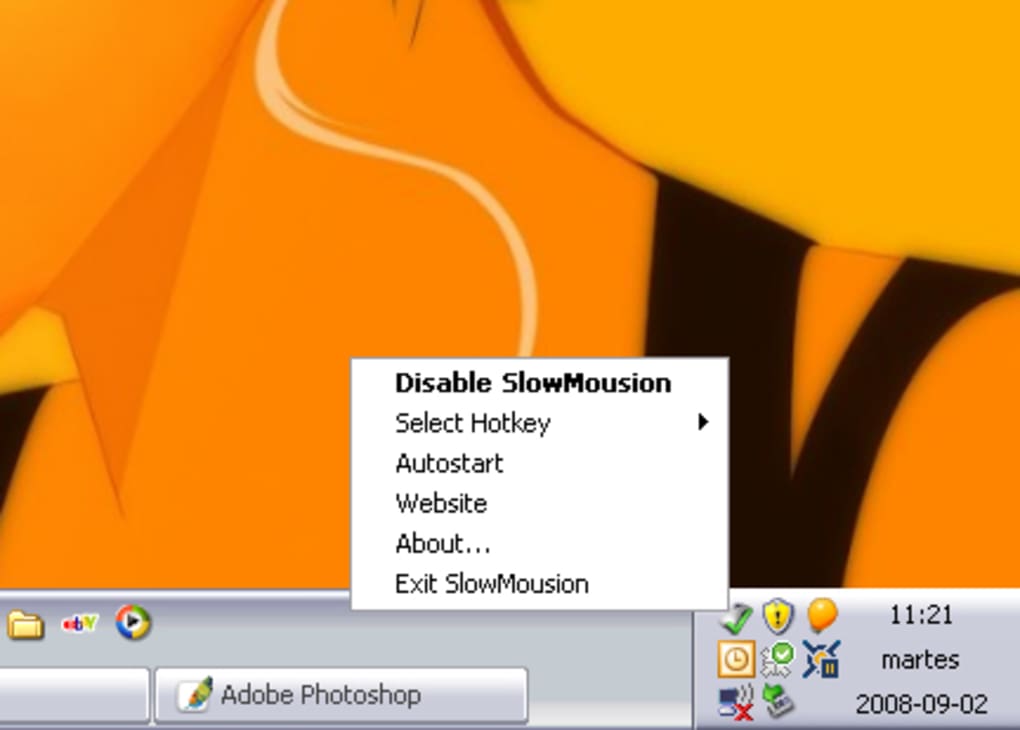
Downloading and installing SlowMousion is a breeze. The software is available for free, with no registration required. To get started, visit the official website and download the latest version for your operating system—either Windows or Mac. The installer is small, typically under 5MB, and completes in seconds. Once installed, SlowMousion runs in the system tray (Windows) or menu bar (Mac), ensuring it doesn’t clutter your desktop.
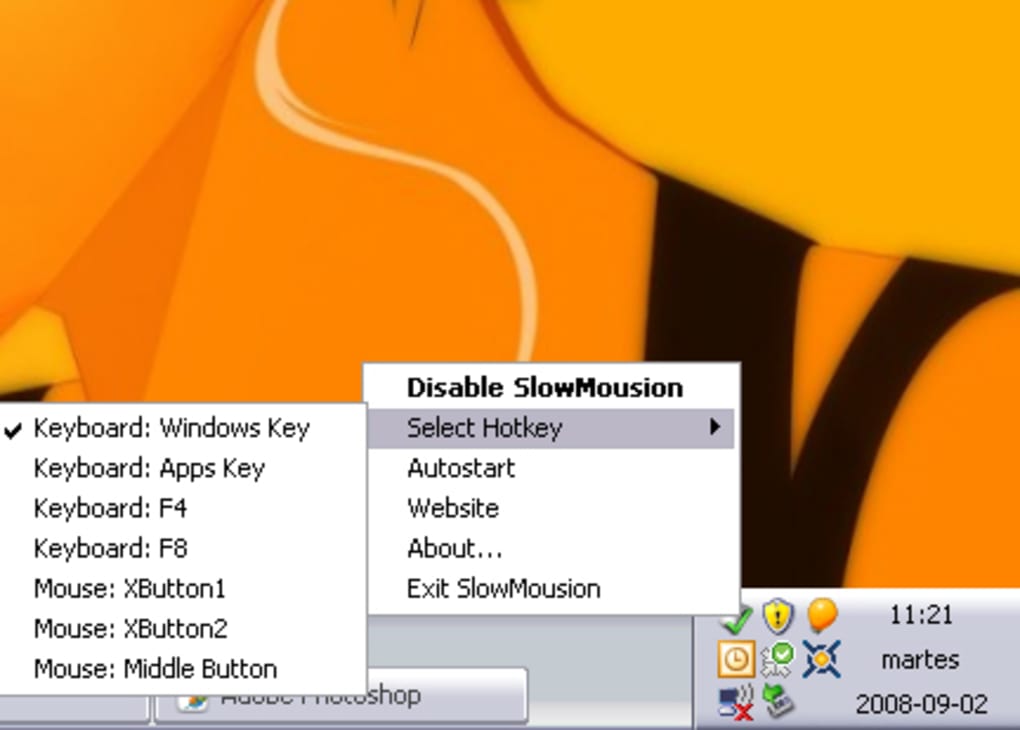
After installation, launch the application and go to the settings menu. Here, you can define your preferred hotkey. It’s recommended to choose a key that’s not frequently used in your workflow—such as Ctrl + Shift or Alt + Z—to avoid accidental activation. Once set, simply press and hold the key to engage slow mode. The cursor movement will immediately slow down, allowing for pixel-perfect precision.
For advanced users, SlowMousion allows multiple speed levels. By tapping the hotkey repeatedly, you can cycle through different slowdown intensities—ideal for tasks that require varying degrees of control. For example, you might use a 50% slowdown for general editing and a 20% slowdown for detailed drawing. The tool is also fully reversible: release the key, and your mouse returns to normal speed instantly. This seamless transition ensures you never lose momentum in your workflow.
Additionally, SlowMousion is designed to be unobtrusive. It doesn’t consume significant system resources, runs quietly in the background, and doesn’t interfere with other applications. It’s perfect for multitaskers who need a reliable, lightweight tool that just works when needed.
Compatibility, Features, and User Experience
SlowMousion is compatible with all major operating systems, including Windows 10, Windows 11, macOS Monterey, and later versions. It works seamlessly with both standard and high-DPI mice, as well as graphics tablets. This broad compatibility makes it a go-to choice for users across different platforms and hardware setups.
Key features include:
- Hotkey Activation – Instantly slow down cursor with a single key press.
- Customizable Speed Levels – Adjust slowdown intensity with repeated key taps.
- Minimal System Impact – Lightweight design with low CPU and memory usage.
- Easy Enable/Disable – Toggle functionality on and off without restarting the app.
- Portable Mode – Run the app from a USB drive without installation.
Users consistently praise SlowMousion for its reliability and ease of use. The interface is clean and intuitive, with no confusing menus or technical jargon. It’s perfect for beginners and experienced users alike. The fact that it’s free and secure—no ads, no malware—adds to its appeal. Many users report that it has significantly improved their productivity, especially during design and editing tasks.
Pros and Cons of SlowMousion
- Pros:
- Free to download and use
- Extremely lightweight and fast
- Easy to configure with customizable hotkeys
- Perfect for graphic design, editing, and precision work
- Works on Windows and Mac
- No ads or tracking
- Cons:
- Only works with keyboard-triggered activation (no mouse button option)
- No built-in settings to save profiles
- Basic interface—lacks advanced customization
Frequently Asked Questions (FAQ)
Is SlowMousion free to download and use?
Yes, SlowMousion is completely free to download and use. There are no hidden fees, subscriptions, or in-app purchases. The software is available for both Windows and Mac users at no cost.
Can I use SlowMousion with a graphics tablet?
Absolutely. SlowMousion works with graphics tablets and high-DPI mice, providing precise cursor control during drawing and design tasks. It’s especially useful for digital artists who need fine control over their strokes.
Does SlowMousion affect system performance?
No, SlowMousion is designed to be lightweight and efficient. It uses minimal CPU and memory resources, ensuring it won’t slow down your system or interfere with other applications.
Can I change the hotkey after installation?
Yes, you can easily change the hotkey through the app’s settings menu. This allows you to assign a key that suits your workflow and avoids accidental activation.
Is SlowMousion secure to download?
Yes, SlowMousion is a trusted, ad-free tool. It is regularly updated and distributed through official channels, ensuring a secure download experience with no malware or tracking.
Final Verdict: A Must-Have Tool for Precision Users
SlowMousion may be a simple tool, but its impact on workflow precision is significant. For anyone who spends time on detailed tasks—whether it’s editing photos, creating digital art, or navigating complex software—this free mouse speed control tool is a game-changer. Its ability to slow down cursor movement with a single key press offers unmatched control without altering your system settings.
While it lacks some advanced features like profile saving or mouse button activation, its core functionality is executed flawlessly. The lightweight design, cross-platform support, and ease of use make it a standout choice among similar tools. If you’re looking for a secure, reliable, and free way to fine-tune your mouse speed, SlowMousion is definitely worth downloading.
Ready to take control of your cursor? Download SlowMousion today and experience smoother, more accurate navigation with just a few keystrokes.







